


We use cookies, including third-party cookies from Google to serve personalized ads through AdSense, to operate this site and understand how it is used. By continuing to browse, you accept this use. See our Privacy Policy and Terms of Use for details, including how to opt out of personalized advertising.
Accept
SmartData CollectiveSmartData Collective
  • Analytics
    AnalyticsShow More
    What Kind of Problem-Solving Distinguishes Data Analysts From Software Engineers -- AI-generated illustration
    What Kind of Problem-Solving Distinguishes Data Analysts From Software Engineers
    7 Min Read
    chatgpt image jul 21, 2026, 04 34 30 pm
    4 Core Benefits of Predictive Maintenance after Vibration Analysis
    10 Min Read
    How Does Data Mining Boost Customer Satisfaction in Logistics? Harnessing Analytics for Results -- AI-generated illustration
    How Does Data Mining Boost Customer Satisfaction in Logistics? Harnessing Analytics for Results
    11 Min Read
    chatgpt image jul 13, 2026, 04 23 45 pm
    How Data Analytics Helps Companies Improve User Engagement
    19 Min Read
    chatgpt image jul 13, 2026, 03 59 46 pm
    How Data Analytics Improves Multi-Location Search Strategies
    10 Min Read
  • Big Data
  • BI
  • Exclusive
  • IT
  • Marketing
  • Software
Search
© 2008-25 SmartData Collective. All Rights Reserved.
Reading: Is the New Disavow Tool Good for Your Analytics?
Share
Notification
Font ResizerAa
SmartData CollectiveSmartData Collective
Font ResizerAa
Search
  • About
  • Help
  • Privacy
Follow US
© 2008-23 SmartData Collective. All Rights Reserved.
SmartData Collective > Analytics > Is the New Disavow Tool Good for Your Analytics?
Analytics

Is the New Disavow Tool Good for Your Analytics?

Frank C
Frank C
5 Min Read
Is the New Disavow Tool Good for Your Analytics?
Illustration generated with FLUX.2 [klein 4B] via Cloudflare Workers AI.
SHARE

Just last week at PubCon, Google’s own Matt Cutts announced the release of their much-anticipated Disavow Tool. Since then, there’s been around the clock chatter about the efficacy of the product and whether it’s good, bad, or ugly for the average website owner.

The fact is, the jury is still out. There’s a lot that people don’t exactly know yet and a lot of the bigger SEO and digital marketing firms are running test trials before doling out any official reviews. While some have come out and suggested that there is hope for leveraging it effectively, most are strongly urging webmasters and site directors to use it sparingly. In fact Cutts himself declared, “Use caution. Don’t just start disavowing links. Please start slow.”

Essentially, Disavow allows sites to cut out links that are out of date, dead, or simply bad.  For sites that have been hit by bad links from black hat SEO and other illicit digital marketing tactics, this is especially good news. It means that there’s finally a way to clean up your link profile of those links that negatively impact your relationship and ranking with Google. For anyone who has received the dreaded Google bad link warning, this could be a saving grace.

For those who have leveraged aggressive link-building tactics in the past with over the top use of unnatural anchor text and were subsequently hit with Penguin earlier in the year, Disavow may be your chance to pay the piper and cross over from the dark side without serious penalty.

More Read

VC Investment Analytics on 20 Years of Investment Data
Analytics Technology Drives Conversions for Your eCommerce Site
Data Analytics for Smarter Vehicle Expense Management
More Attorneys Embrace Data Analytics With Expert Witness Research
How hotels are using data to generate new revenue

So how does it work? You can click here to get started and test it for yourself. It’s really about as simple as it comes. After determining your risk level and if there are links on your site that need to be kicked to the curb, you’ve got to isolate the links and create a .txt file, listing one domain or URL per line. On alternate lines you can incorporate comments such as “This link is dangerous” by starting the line with “#” sign.  After saving the file under a name of your choice, it’s time to head into your Google Webmaster Tools with “Owner” access.

From your Google Webmaster Tools navigation, you’ll need to submit your site URL to the disavow links page. Now be forewarned, when you hit “submit,” a warning will appear. Hit “submit” again and another warning will appear, but this time with a “Choose File” option. Click “Choose File” and upload your .txt file of bad links. From there, all that’s left to do is take a deep breath and hit “Done.”

Although you’ll likely be expecting some fairy godmother or leprechaun with pot of gold to magically appear at this point, the fact is, nothing happen. At least, not yet. It will reportedly take weeks for Google to actually disavow the links you’ve submitted, which is precisely why so many are preaching stringent caution with the tool – it’s only been out for roughly a week, so no one knows exactly what the effects of using it will be.

In short, if you’re suffering from negative links, whether by your own doing or someone else’s, know that this may be a viable solution. However, until more studies have been done and actual results have been produced, we’ve got to approach Disavow great restraint. 
Share This Article
Facebook Pinterest LinkedIn
Share

Follow us on Facebook

Latest News

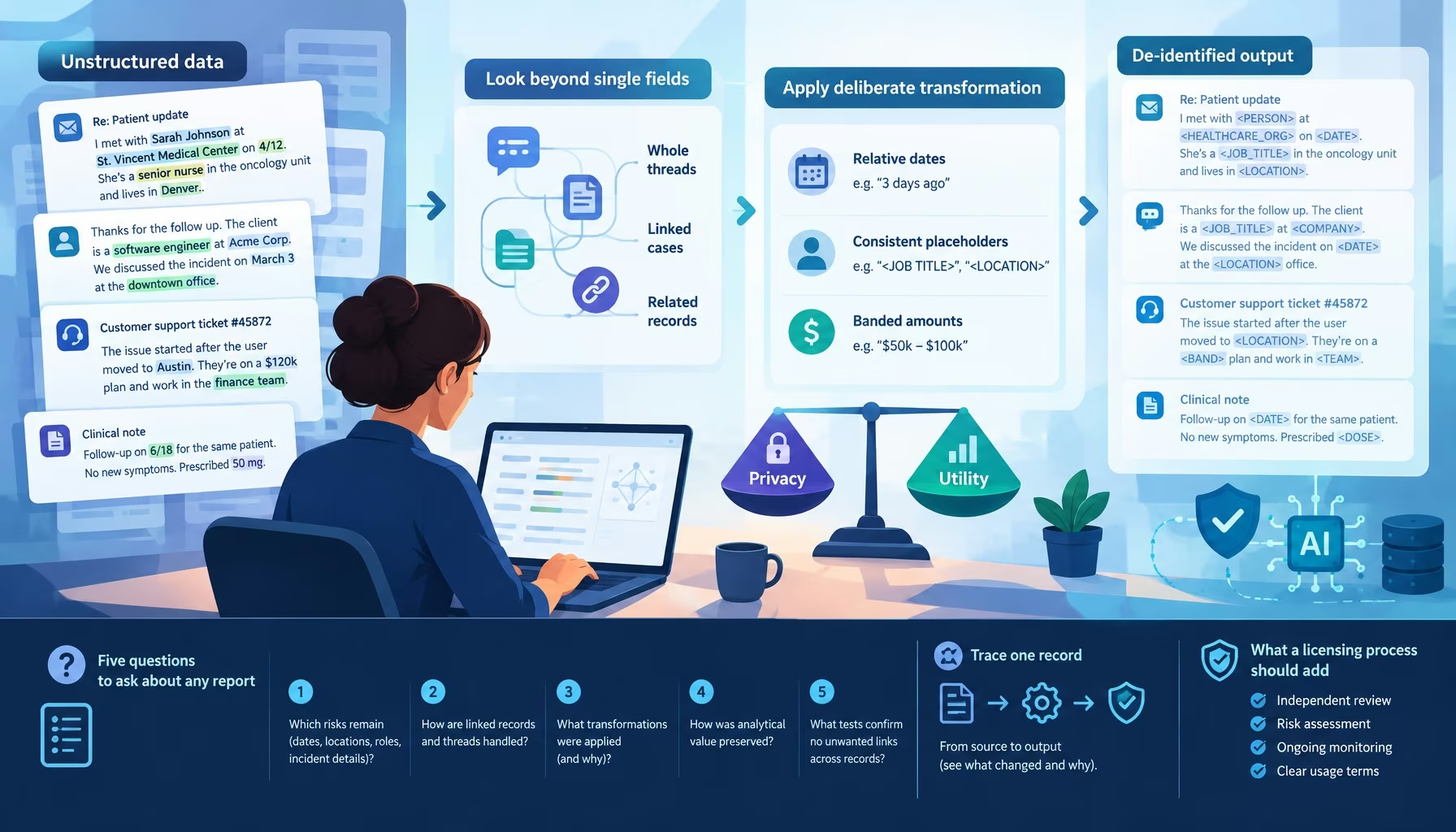
Flat editorial illustration: A tech-editorial depiction of contextual re-identification risk in linked unstructured support recor
Stripping the Names Isn’t Enough: De-Identifying Unstructured Data
Exclusive Unstructured Data
Flat editorial illustration: The article connects practical management of local data, memory and software environments with direc
How Data Professionals Optimize Devices for AI and ML Projects
Artificial Intelligence Data Science Exclusive Machine Learning
Flat editorial illustration: The article connects verified lease abstraction at signing to accurate property charges and faster m
AI Lease Abstraction and Month-End Close Speed-Up Checklist
Artificial Intelligence Exclusive
Flat editorial illustration: The article explains that file-system choice determines whether Windows, macOS, and Linux can read o
Understanding File System Compatibility Across Windows, macOS, and Linux
Cloud Computing Exclusive

Stay Connected

1.2KFollowersLike
33.7KFollowersFollow
222FollowersPin

You Might also Like

project
AnalyticsBig DataBusiness IntelligenceInfographic

How Big Data For Project Management Is Changing The Industry

8 Min Read
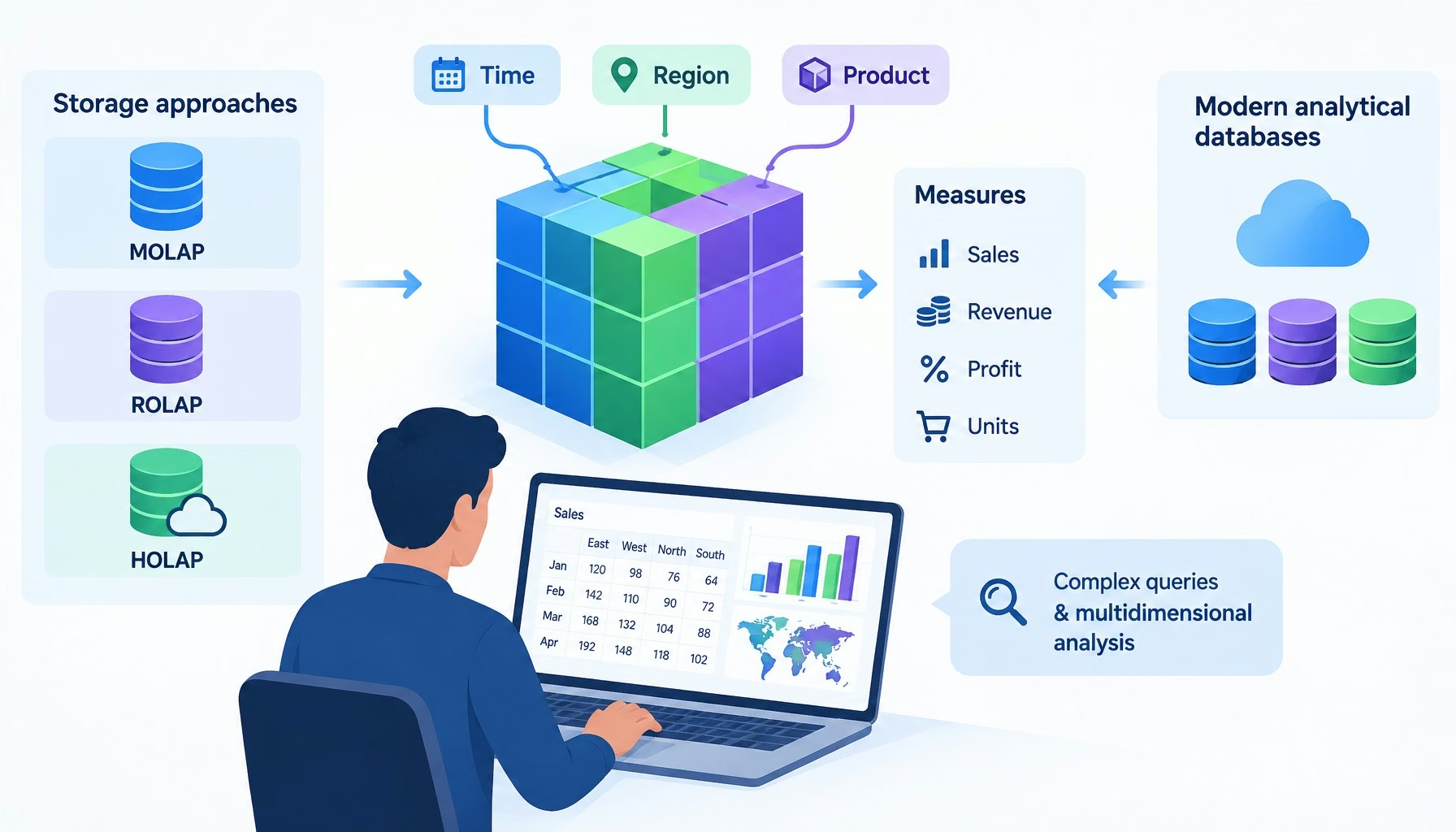
Technical architecture diagram and decision framework for what are olap (online analytical processing) tools?
Analytics

What Are OLAP (Online Analytical Processing) Tools?

7 Min Read
Why Analytics Professionals Are Destined for Leadership
AnalyticsCulture/LeadershipJobs

Why Analytics Professionals Are Destined for Leadership

5 Min Read
Predictive Analytic Strategies to Out-Predict the Competition
AnalyticsBig DataDecision ManagementModelingPredictive Analytics

Predictive Analytic Strategies to Out-Predict the Competition

6 Min Read

SmartData Collective is one of the largest & trusted community covering technical content about Big Data, BI, Cloud, Analytics, Artificial Intelligence, IoT & more.

5 Great Tips for Using Data Analytics for Website UX
Big Data
How To Get An Award Winning Giveaway Bot
Big Data Chatbots Exclusive

Quick Link

  • About
  • Contact
  • Privacy
Follow US
© 2008-26 SmartData Collective. All Rights Reserved.
Welcome Back!

Sign in to your account

Username or Email Address
Password

Lost your password?